

01
Open Sites in Raechal
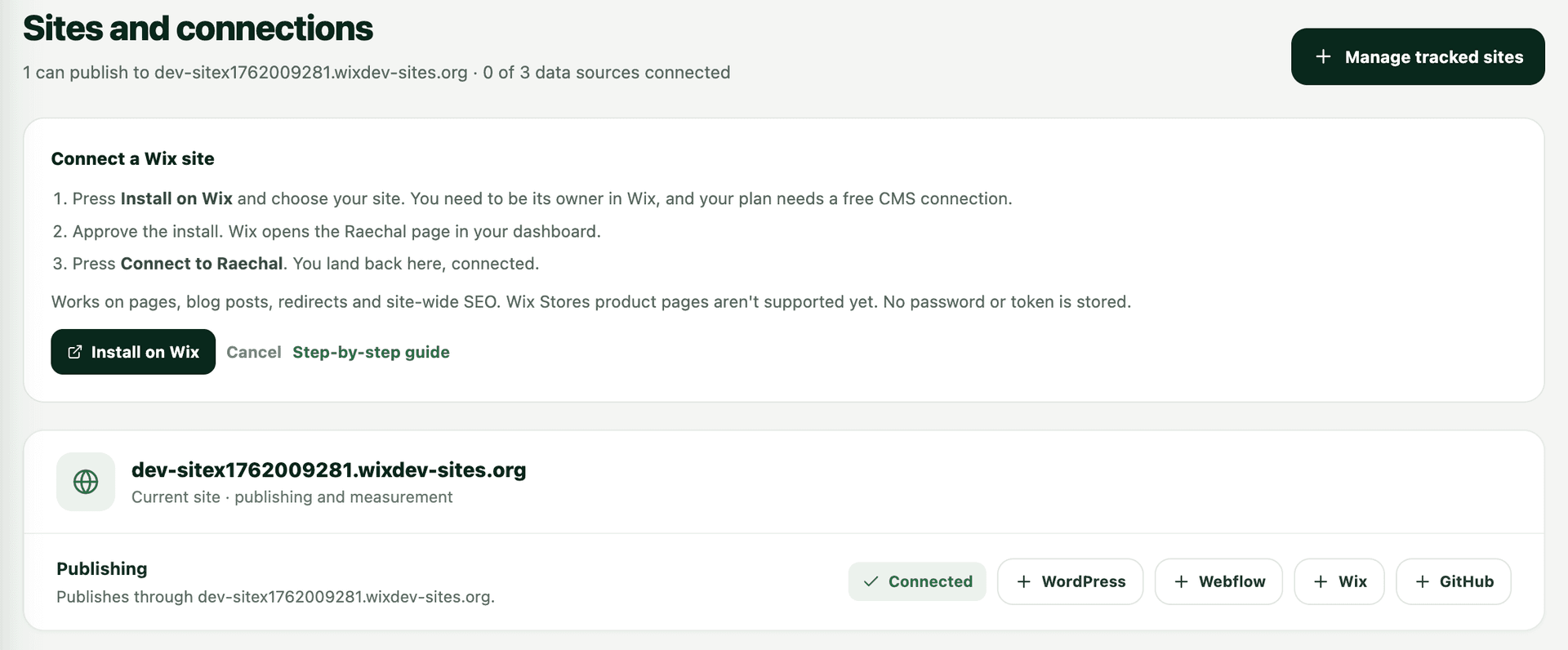
Press + Wix, then Install on Wix, and choose your site. You need to be its owner in Wix, and your plan needs a free CMS connection.
Establishing secure connection…
Fetching site architecture…
Scanning keywords & rankings…
Analyzing backlink profile…
Evaluating page speed metrics…
Generating SEO insights…
Wix connection guide
Add a Wix site from Sites in Raechal, approve the install in Wix, then press Connect. Raechal then prepares SEO changes for your approval.
Open SitesPress + Wix, then Install on Wix, and choose your site. You need to be its owner in Wix, and your plan needs a free CMS connection.
Approve the install in Wix. Raechal does not ask for a password or API token. Wix then opens the Raechal page in your dashboard.
Press Connect to Raechal. You land back on Sites, connected and ready for approved page, post, redirect and site SEO updates.
Wix Stores product pages are not supported yet. Every supported change is shown before it ships and can be put back for 30 days.
Connect your Wix site